How To: Electronically Sign Your Return

How to: Electronically Sign your Tax Return
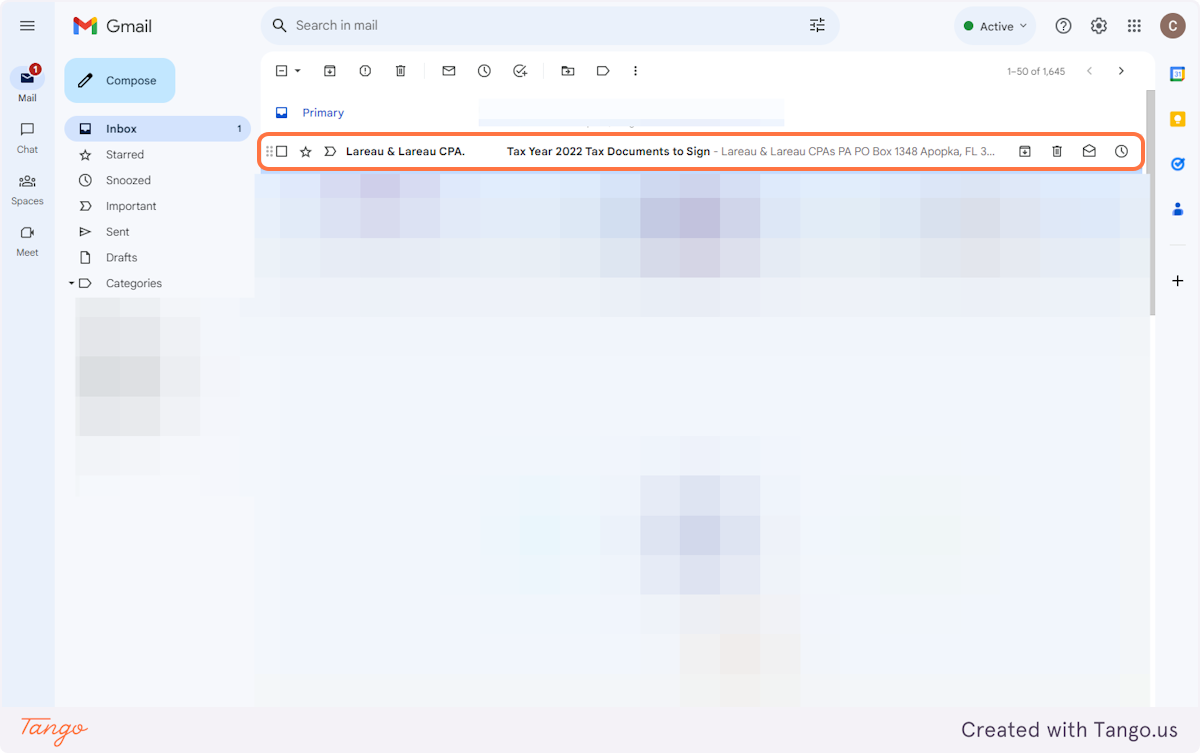
# Locate the email.
1. Click on row
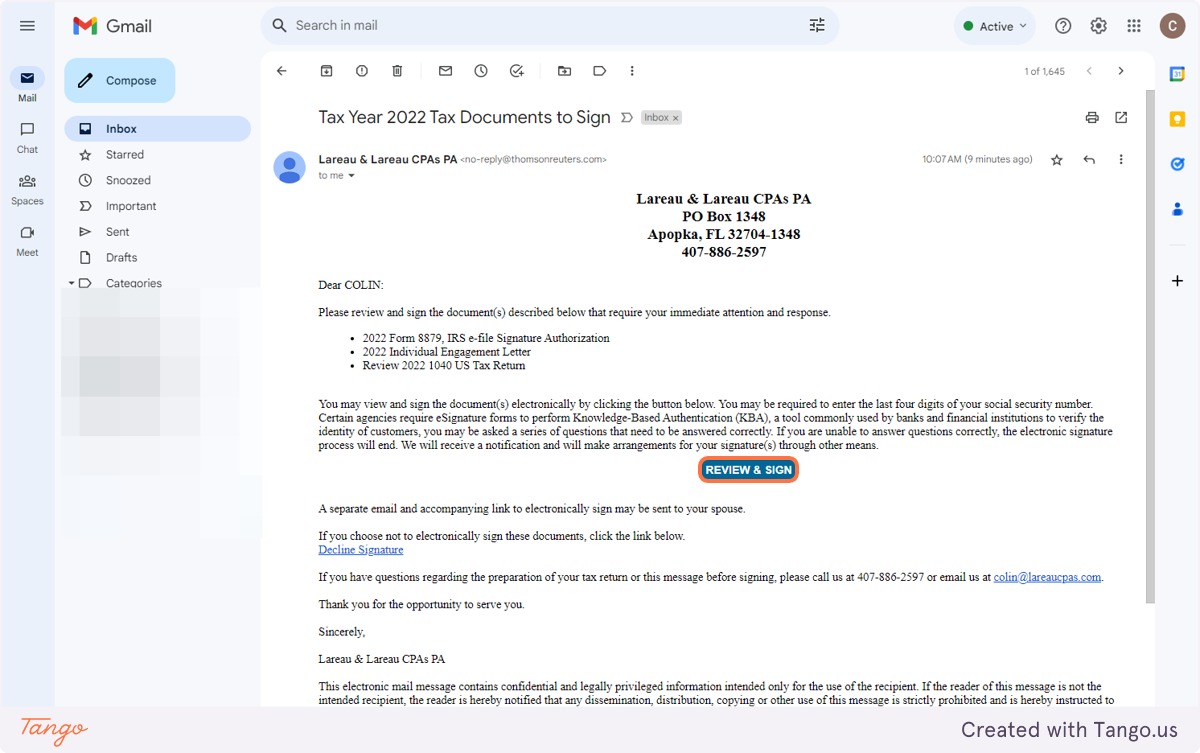
2. Click on REVIEW & SIGN
# eSignature
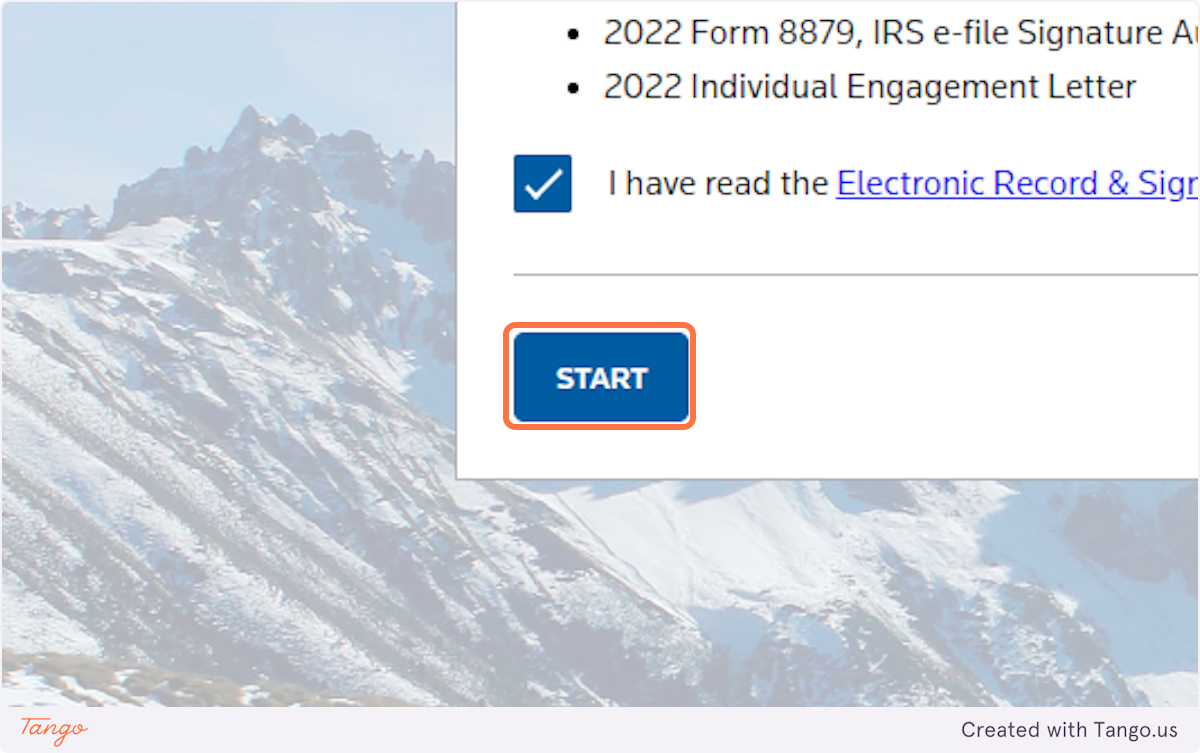
3. Click on I have read the Electronic Record & Signature Consent Disclosure and agree to the terms.

4. Click on START
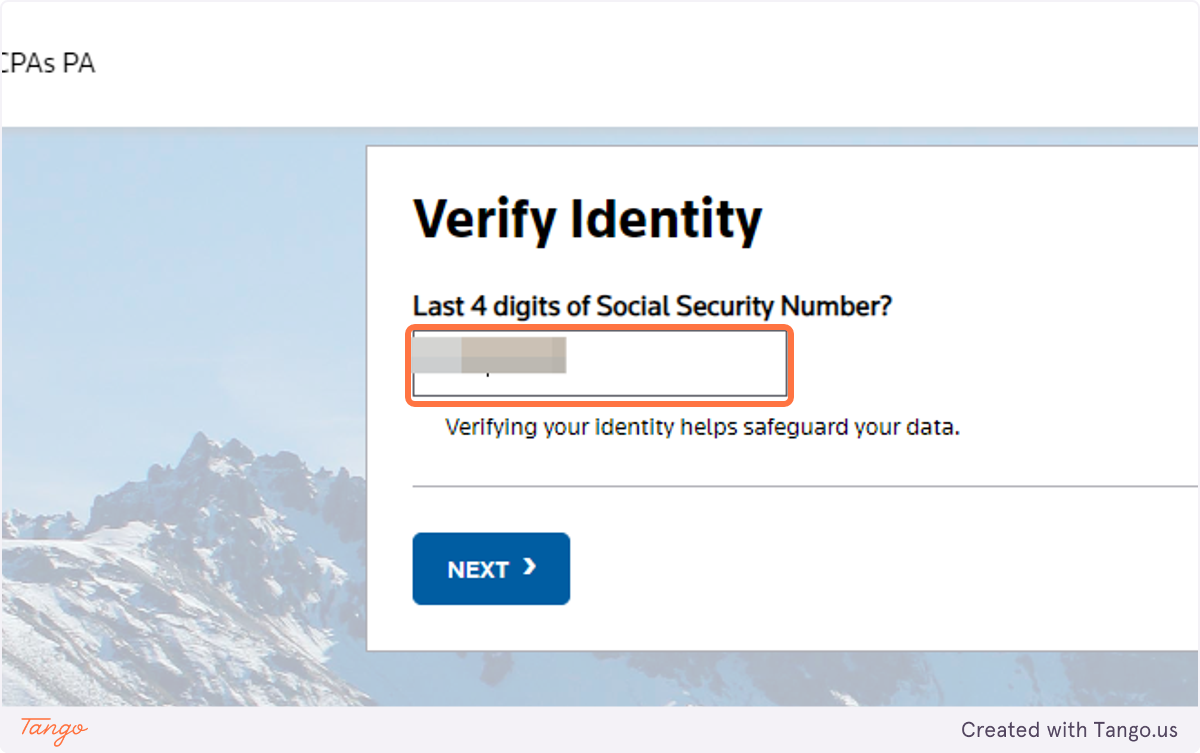
5. Type the last 4 digits of your social security number